
Looking for a reliable way to stream your favorite content without breaking the bank? IPTV Smarters Player has become one of the most popular streaming solutions in 2026, and for good reason. Whether you’re a cord-cutter or just tired of juggling multiple streaming subscriptions, this versatile app offers a unified way to access all your content in one place.
Here’s the thing: not all IPTV players are created equal. While there are dozens of options out there, IPTV Smarters Player stands out because it combines powerful features with genuine ease of use. Let’s walk through everything you need to know to get started.
What Is IPTV Smarters Player and Why It Matters in 2026
Think of IPTV Smarters Player as your universal remote for internet-based television. Instead of traditional cable or satellite, it streams content directly over your internet connection using IPTV protocols. The beauty? You’re not locked into any specific service or provider.
The app itself is free to download, but here’s what surprises most people: you’ll need an IPTV subscription from a provider to actually watch content. The player is essentially the vehicle, while your IPTV service is the fuel. This separation gives you incredible flexibility to choose providers based on your needs and budget.
Key Features That Set It Apart
What makes IPTV Smarters Player worth your time? It’s packed with features that streaming enthusiasts actually want:
- Multi-screen support – Watch on your phone, tablet, smart TV, or streaming device
- EPG integration – Electronic Program Guide shows you what’s on and what’s coming up
- Parental controls – Keep certain content locked away from young viewers
- Catch-up TV – Missed your favorite show? Watch it later if your provider supports it
- Multiple playlist support – Manage different IPTV services within one app
- Recording capabilities – Save content to watch offline (provider-dependent)
When you visit Smarters Player Lite, you’ll notice how the interface prioritizes simplicity without sacrificing functionality. That’s intentional design.
IPTV Smarters Player Setup: Getting Started in Minutes
Ready to dive in? Setting up IPTV Smarters Player is surprisingly straightforward, even if you’re not particularly tech-savvy. Here’s your step-by-step roadmap:
- Download the app – Available for Android, iOS, Windows, macOS, and even FireStick. Download Smarters Player Lite from your device’s app store or official website.
- Get your IPTV credentials – You’ll need login details from your IPTV provider, typically including a username, password, and server URL.
- Launch and configure – Open the app, select “Login with Xtream Codes API” (most common), and enter your credentials.
- Load your playlists – If your provider uses M3U URLs or playlist files, you can add those instead.
- Customize your experience – Set up favorites, adjust video quality settings, and configure parental controls if needed.
The entire process typically takes less than five minutes. If you’re switching from another player or exploring options, you might want to check out providers like Abonnement IPTV Services or Abonnement IPTV Smarters Pro that work seamlessly with the platform.
Device Compatibility: Where Can You Use IPTV Smarters Player?
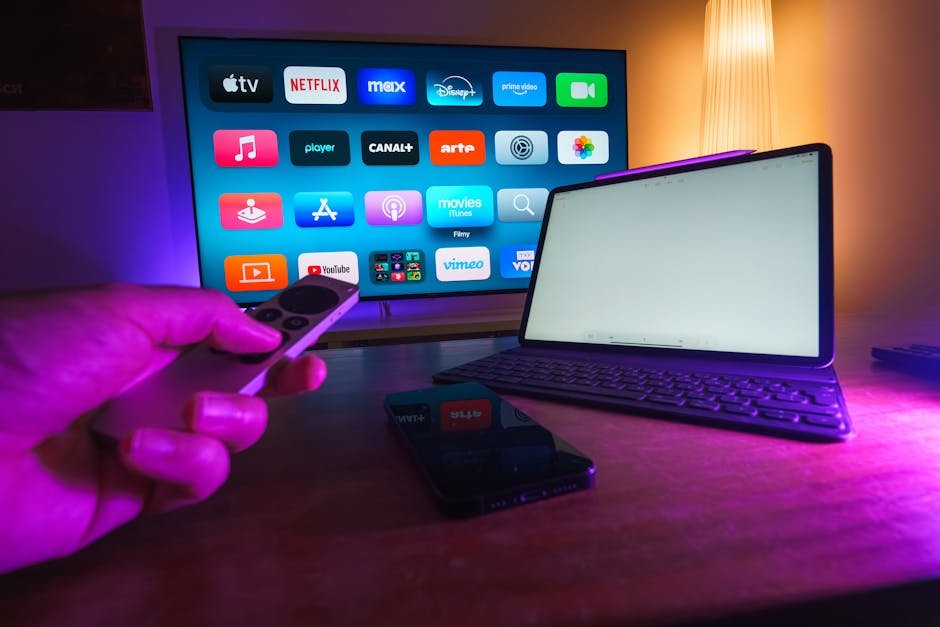
One of the biggest advantages? IPTV Smarters Player runs on virtually everything with a screen. This cross-platform compatibility means you can start watching on your phone during your commute and finish on your big-screen TV at home.
| Device Type | Availability | Best Use Case |
|---|---|---|
| Android Phones/Tablets | ✓ Available | On-the-go streaming |
| iPhone/iPad | ✓ Available | iOS ecosystem users |
| Amazon FireStick/Fire TV | ✓ Available | Living room streaming |
| Smart TVs (Android TV) | ✓ Available | Direct TV integration |
| Windows PC/Laptop | ✓ Available | Desktop viewing |
| macOS | ✓ Available | Mac users |
Can’t decide which device to start with? Most users find that setting it up on their primary viewing device first makes the most sense. Then you can add other devices as needed – your login credentials work across all of them simultaneously.
Comparing IPTV Smarters Player to Alternative Solutions
You’ve probably heard about other streaming apps, and you might be wondering how IPTV Smarters Player stacks up. Let’s be honest about the landscape.
Apps like 4K Player IPTV, SmartX2 TV, and Hot Player TV all offer similar functionality. What differentiates IPTV Smarters Player is its balance between features and usability. It’s powerful enough for enthusiasts but doesn’t overwhelm newcomers with unnecessary complexity.
Another factor? Community support. With millions of users worldwide in 2026, you’ll find troubleshooting guides, setup tutorials, and forum discussions whenever you need help. That kind of ecosystem matters when you’re investing time into a platform.
IPTV Smarters Player Features That Actually Make a Difference
The Interface: Simple Yet Powerful
When you first open IPTV Smarters Player, you’ll notice the clean, intuitive layout. Your content is organized into categories: Live TV, Movies, Series, and Catch-up (if available). Navigation feels natural – no hunting through endless menus trying to find what you want.
The built-in player supports multiple formats and adapts video quality based on your connection speed. Buffering issues? The app automatically adjusts to keep your stream running smoothly.
Multi-Profile Support for Families
Here’s a feature that doesn’t get enough credit: you can create separate profiles for different family members. Each person gets their own watchlist, favorites, and viewing history. Parents can lock adult content behind a PIN code, giving you peace of mind when kids grab the remote.
EPG and TV Guide Integration
Remember flipping through TV Guide magazines? IPTV Smarters Player brings that experience into 2026 with its Electronic Program Guide. See what’s playing now, what’s coming up next, and even schedule recordings (if your provider supports DVR functionality).
When you’re browsing all available live TV channels, movies, and series, the EPG makes it easy to plan your viewing schedule rather than endlessly scrolling.

Optimizing Your IPTV Smarters Player Experience
Want to get the most out of the app? Here are some expert tips that’ll enhance your streaming quality:
- Use a wired connection when possible – WiFi works, but ethernet provides more stable streaming, especially for 4K content
- Adjust buffer settings – If you experience stuttering, increase the buffer size in settings (this uses more memory but smooths playback)
- Enable hardware acceleration – This offloads video processing to your device’s GPU, reducing CPU usage and improving performance
- Keep the app updated – Developers regularly release updates with bug fixes and new features
- Clear cache periodically – Like any app, IPTV Smarters Player accumulates cached data that can slow things down over time
Choosing the Right IPTV Service for Smarters Player
The app is only as good as the service you pair it with. When evaluating IPTV providers, consider these factors:
Channel selection – Does the provider offer the channels you actually watch? International channels? Sports packages?
Reliability – Uptime matters. Look for providers with solid reputations and minimal downtime reports.
Video quality – In 2026, you shouldn’t settle for anything less than HD. Many providers now offer 4K streams for premium content.
Customer support – When (not if) you run into issues, responsive support makes all the difference.
Price transparency – Watch out for hidden fees or auto-renewal traps. Check out the Smarters Player Lite pricing plans to see what fair pricing looks like.
Troubleshooting Common IPTV Smarters Player Issues
Even the best apps occasionally hiccup. Here’s how to fix the most common problems:
App won’t load channels – Double-check your login credentials and make sure your subscription is active. Server URLs change occasionally, so verify you’re using the current one from your provider.
Buffering or stuttering – Test your internet speed (you’ll want at least 10 Mbps for HD, 25+ Mbps for 4K). Close background apps that might be hogging bandwidth. Try lowering the video quality in settings as a temporary fix.
EPG not showing – Your provider needs to support EPG data. If they do but it’s not displaying, try refreshing the EPG in the app settings or re-adding your playlist.
Playback errors – Clear the app cache, restart your device, and make sure you’re running the latest version of IPTV Smarters Player.
Is IPTV Smarters Player Right for You?
Let’s bring this home. If you’re looking for a flexible, feature-rich way to access IPTV content across all your devices, IPTV Smarters Player is hard to beat in 2026. The learning curve is gentle, the features are comprehensive, and the community support is excellent.
That said, it’s not magic. You’ll still need a quality IPTV subscription to power the experience. Think of it as buying a great car – the vehicle itself is important, but you also need good fuel to make it run properly.
The real beauty of IPTV Smarters Player is how it puts you in control. You’re not locked into one provider’s ecosystem or limited to specific content libraries. You choose what you want to watch, how you want to watch it, and which devices you use – all through one unified interface.
Ready to transform your streaming setup? The app is free to try, and setup takes just a few minutes. Give it a shot and see why millions of users have made it their go-to streaming solution this year.